
What is it?
One-for-All lets you create a single marketing package that works across every listing status. Instead of building a separate package for Just Listed, Pending, Sold, and so on, you build one and the system handles the rest.
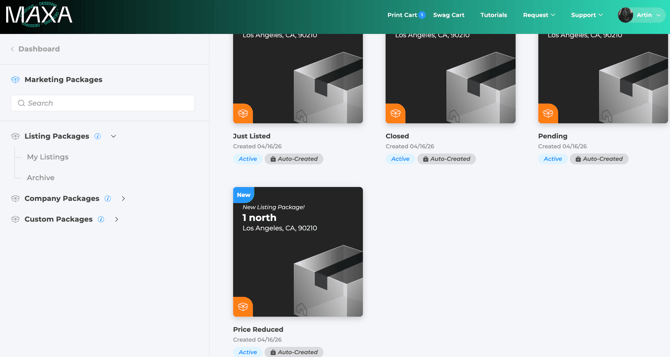
Every time a listing updates, Automated Marketing Packages (AMP) automatically creates a fresh version of that package with the right content already filled in. You set it up once and it runs on its own.
What triggers a new package?
A new package is created when a listing status changes (Active, Pending, Closed) or when there's a price change, even if the status stays the same. Open House is excluded and will not trigger the feature. That said, the existing Active package will show an outdated content warning when Open House details are available, so users can update it and pull in the latest information.
Nothing gets overwritten. Every version lives in the user's library.
How do titles within the designs work?
When set up correctly, your designs will show a clean, friendly title instead of the raw MLS status. Active becomes "Just Listed," Pending becomes "Under Contract," Closed becomes "Just Sold," and a price change shows "Price Adjustment."
These titles only appear inside the designs. The platform itself still shows the raw MLS status everywhere else. Right now the titles are fixed, but a future update will let each client choose their own.
What happens to existing packages?
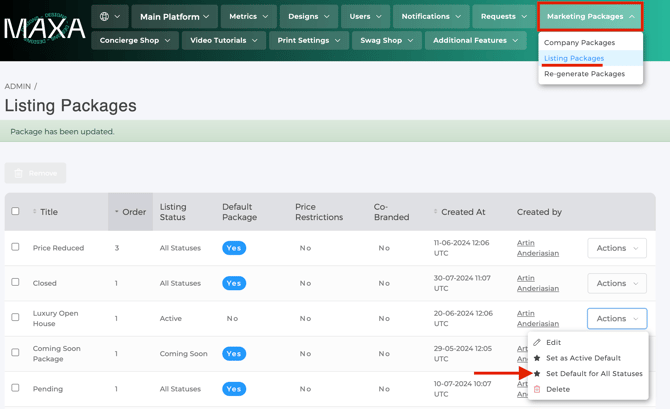
Nothing changes automatically. Your current packages stay exactly where they are. We recommend building and testing your One-for-All package first, then running both side by side for a bit before fully switching over. Agents may get duplicate notifications during that overlap period, which is normal.
When you're ready, remove the old packages as defaults and delete them at your own pace.
Does it apply to everyone?
Yes. Once a One-for-All package is set as the default, it applies to all users on the platform. There's no way to enable it for some users and not others.
Is it the right fit?
This works really well for clients managing multiple offices, brands, or a long list of packages. If you want completely different designs for each listing status, the existing setup gives you more flexibility.
The short version: One-for-All doesn't change what agents receive. It just makes your life a lot easier.